LetsFAME Admin Panel
Designing a scalable, multi-role admin system for the entertainment industry's first professional networking platform.
- Role
- UX/UI Designer — research, IA, interaction, visual, prototyping
- Client
- LetsFAME
- Duration
- 8 weeks
- Team
- Product Owner, 2 admin stakeholders, frontend, backend, API
- Tools
- Figma, Adobe XD, Illustrator
The short version
LetsFAME's admins had no centralised way to moderate content, verify users or monitor app health across a fast-growing platform — everything ran through a mix of consoles, spreadsheets and chat threads.
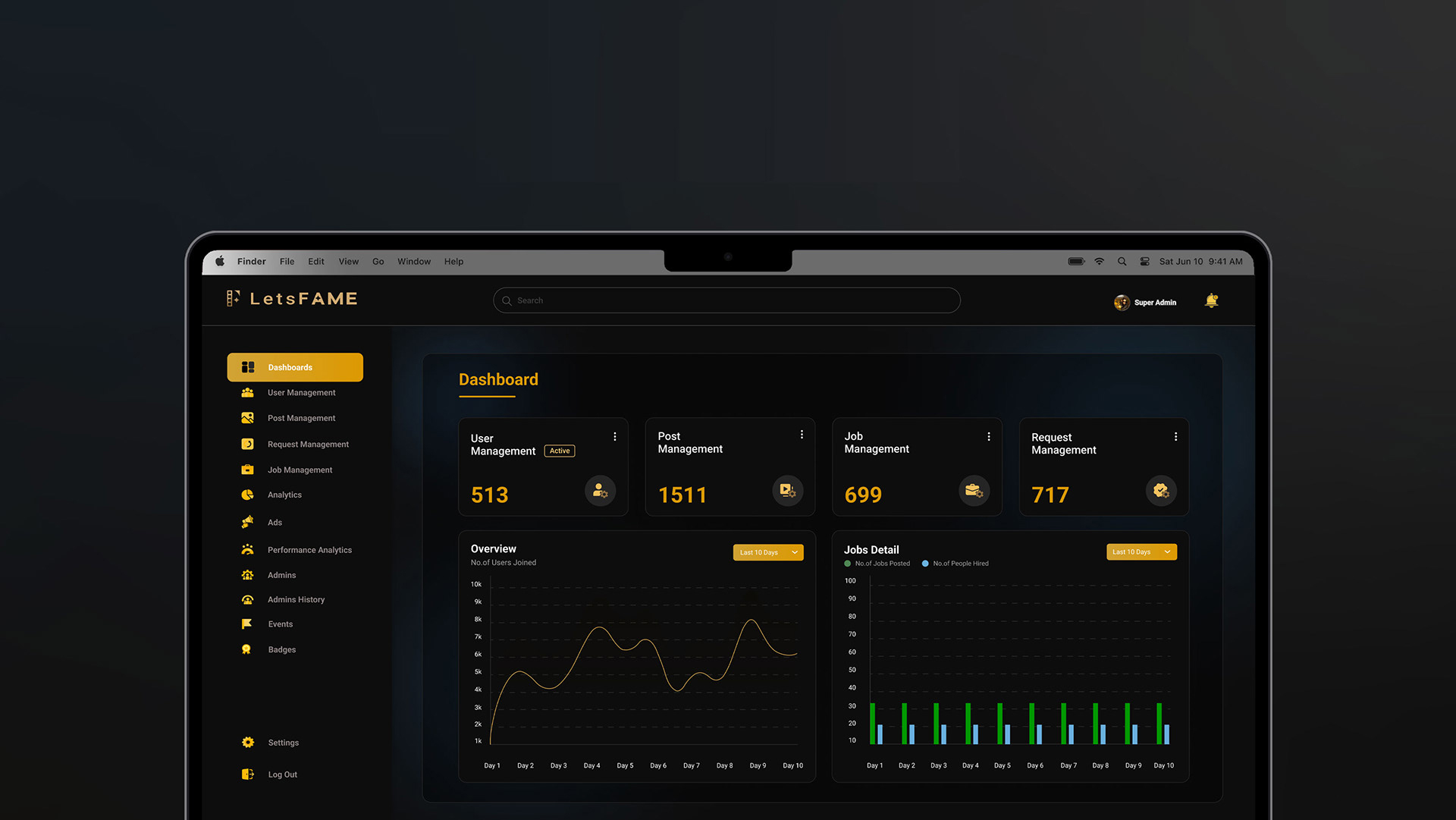
I designed a role-based admin panel that consolidated eight disconnected workflows into one system, with a metrics-first dashboard, auditable verification and self-serve ad management. It shipped as an MVP with sign-off from the Product Owner and engineering, and made moderation and platform performance measurable for the first time.
About LetsFAME
LetsFAME is the entertainment industry's first professional networking and hiring platform — LinkedIn, built specifically for actors, crew and entertainment professionals to discover opportunities and connect with the right people.
As the platform scaled, the team needed a single admin panel to manage every user-facing activity — content, jobs, requests, users — and to actually see how the app was performing.
Reacting fast, with nothing to react from
LetsFAME runs on real-time engagement, which means admins need to move quickly.
Sensitive content and user data had no centralised moderation system.
No way to monitor overall app performance without third-party tools.
Push notifications and multi-admin coordination didn't exist.
Every new admin task meant a manual, ad-hoc workaround.
"How might we give admins a single, trustworthy source of truth to manage users, content and performance — without third-party software or manual cross-checking?"
Goals & success measures
Reduce time to moderate and verify a user
Average review time per request
Same-day review replaced multi-day manual checks
Give admins real-time visibility into app health
Dashboard sessions per week
Dashboard became the daily entry point for both roles
Consolidate scattered admin workflows
Number of tools replaced
Console, spreadsheet and chat threads folded into one panel
Support multi-admin, role-based access
Roles shipped
Super Admin + Admin
A five-day workshop
I ran a five-day workshop with LetsFAME's Product Owner, admins and the frontend/backend/API teams to understand how the existing app functioned end to end, what admins actually knew about running admin software, and what "good performance" meant to the business.
Interview guide
- How frequently do you access the admin panel to manage the application?
- What are your primary tasks in the admin panel?
- How important is real-time access to performance metrics and user activity?
- What measures do you take to protect sensitive user data?
- What's in place for data retention and compliance (e.g. GDPR)?
- If new features were added, how would you expect to handle them?
- What prior experience do you have with admin panels?
Key insights
User needs
Centralised tools for user management, content moderation, job recruitment and performance tracking.
Usability
Easy navigation and intuitive workflows mattered more than feature density.
Customisation
Flexibility to adapt user management and moderation as requirements evolve.
Data insights
Real-time reporting and actionable analytics, not just raw numbers.
Security
Strong authentication, encryption, access controls and activity logs.
Integration
Interoperability with CRM, CMS and marketing tools.
Meet the users
Vishnu
Super Admin (Manager)
B.Tech IT. Fluent in English, Tamil, Telugu and Hindi. Prior admin-panel experience across top IT companies.
- Assigns tasks to admins
- Monitors app performance
- Verifies users
- Manages upgrade / downgrade requests
- Tracks event activity
Sekar
Admin
BCA graduate. Prior admin experience across three mobile app projects.
- Monitors app performance
- Submits reports to the super admin
- Moderates content
- Manages ads
- Awards user badges
Two distinct permission levels meant the information architecture and navigation had to support role-based visibility from day one — not be retrofitted later.
Information architecture
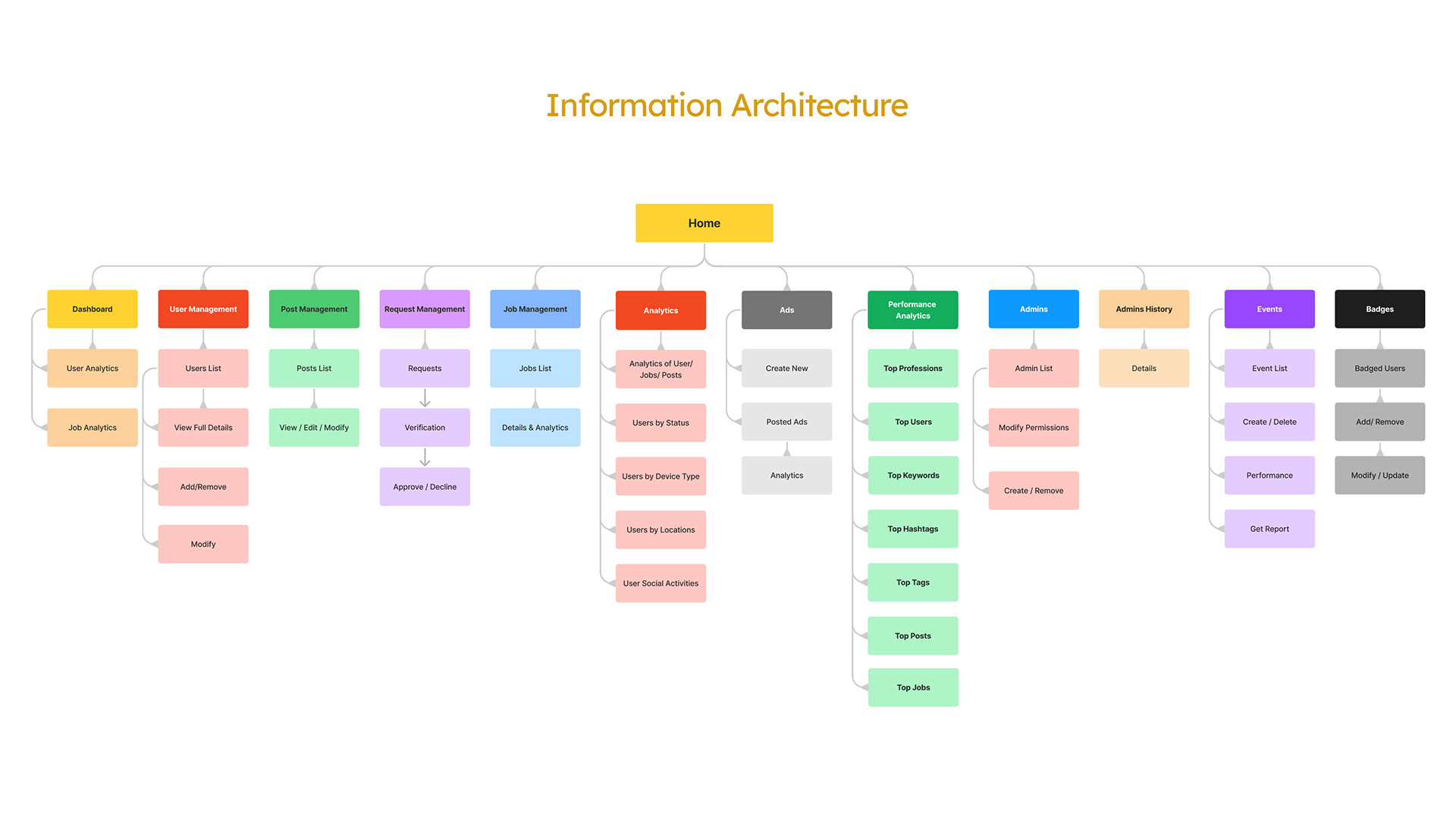
I mapped every function into a sitemap before touching a single screen, validated with the Product Owner and dev team so the scope stayed realistic for an MVP.
- Dashboard
- User Management
- Post Management
- Request Management
- Job Management
- Analytics
- Ads
- Performance Analytics
- Admins
- Admin History
- Events
- Badges
From low-fi to hi-fi
Once the IA had sign-off, I moved to low-fidelity wireframes and ran usability walkthroughs with the Product Owner and admins before investing in high-fidelity visuals.
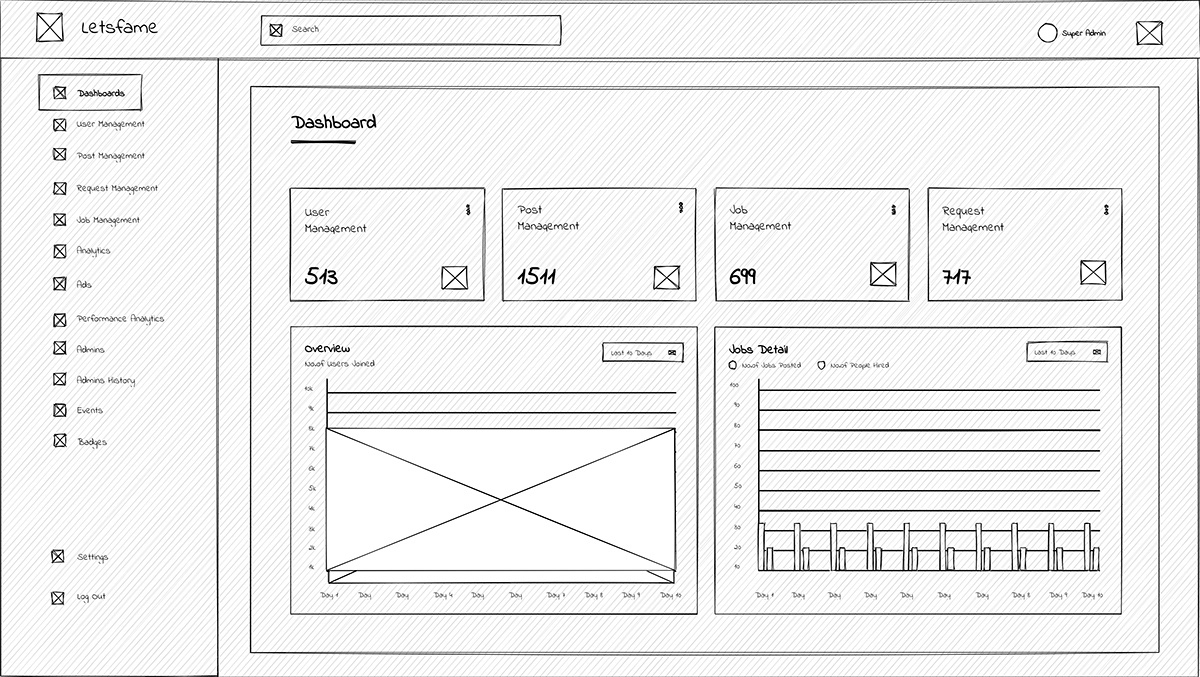
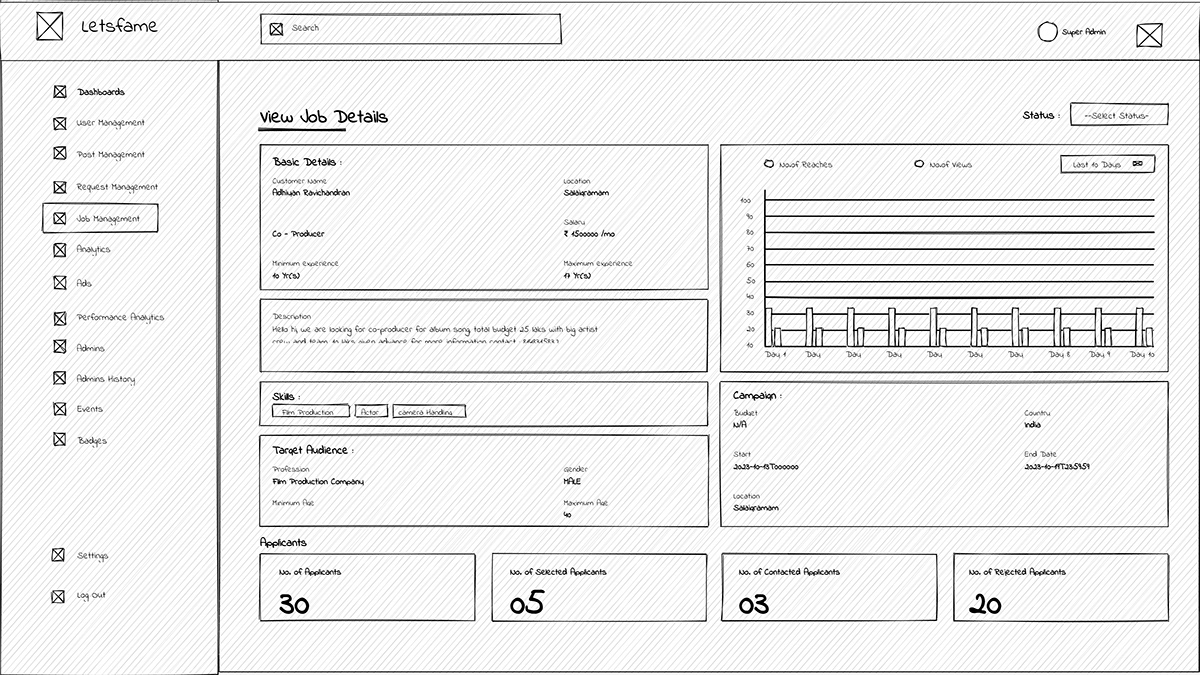
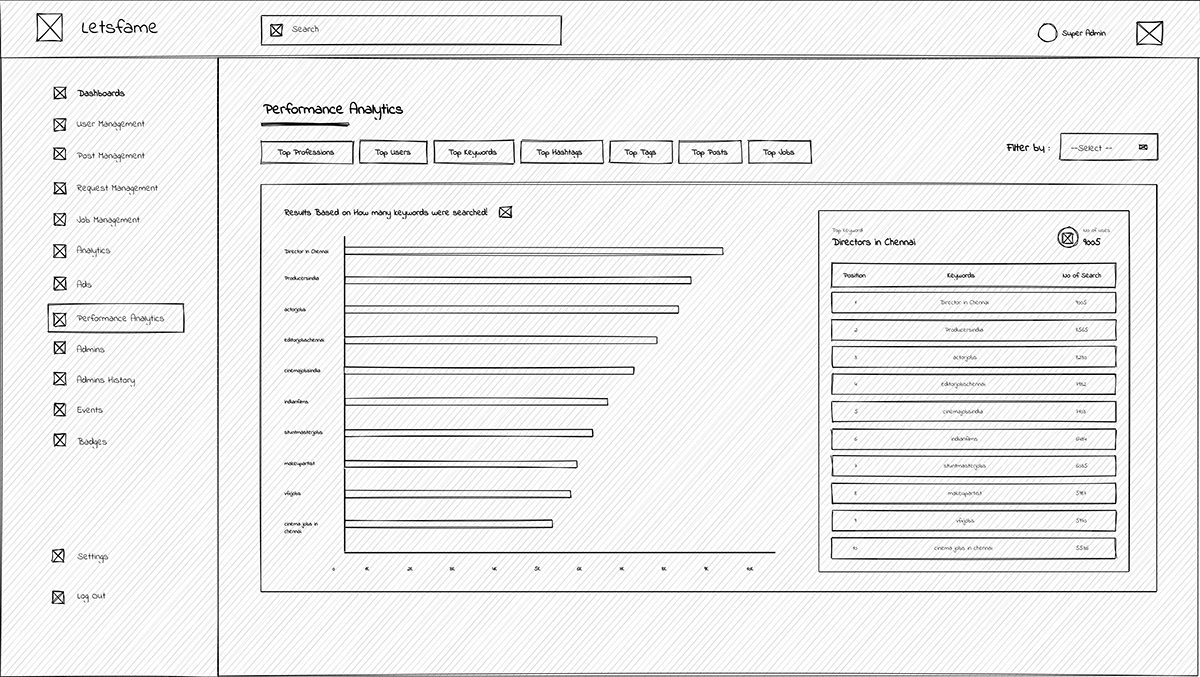
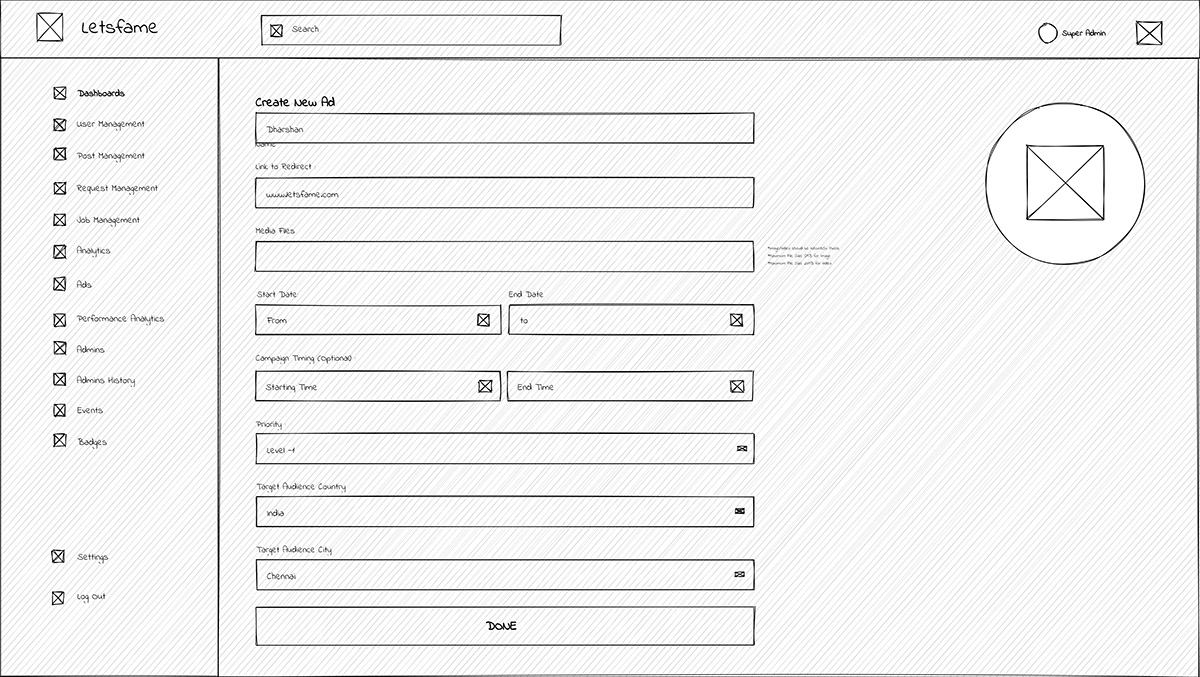
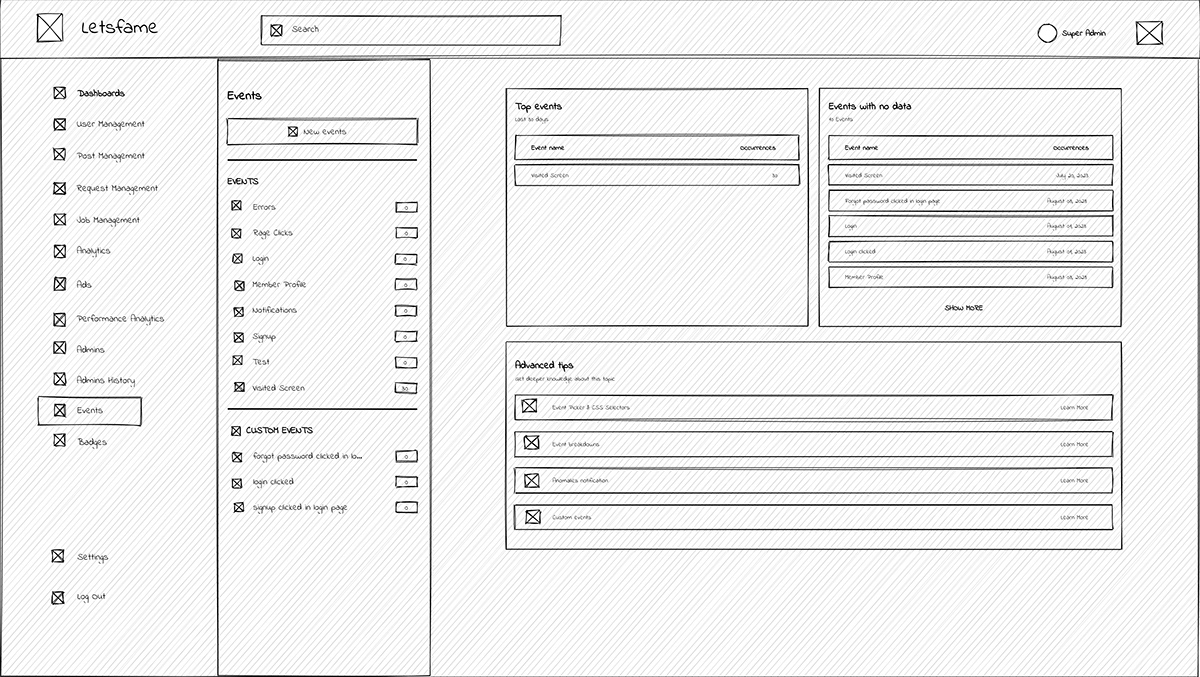
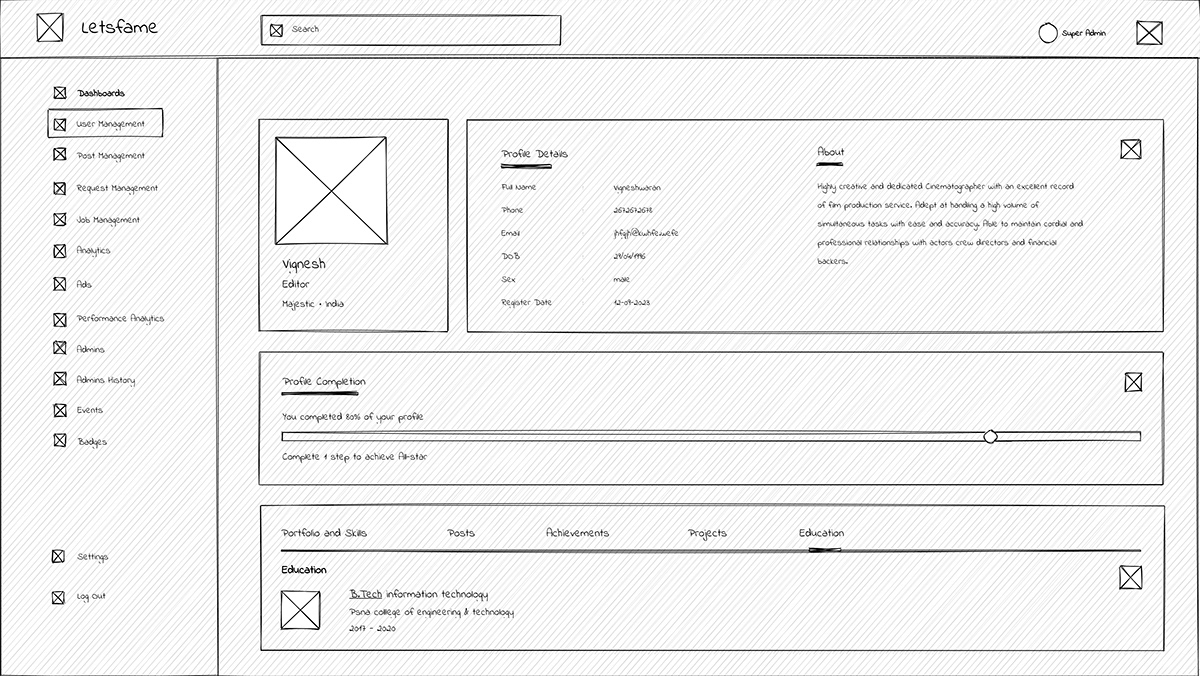
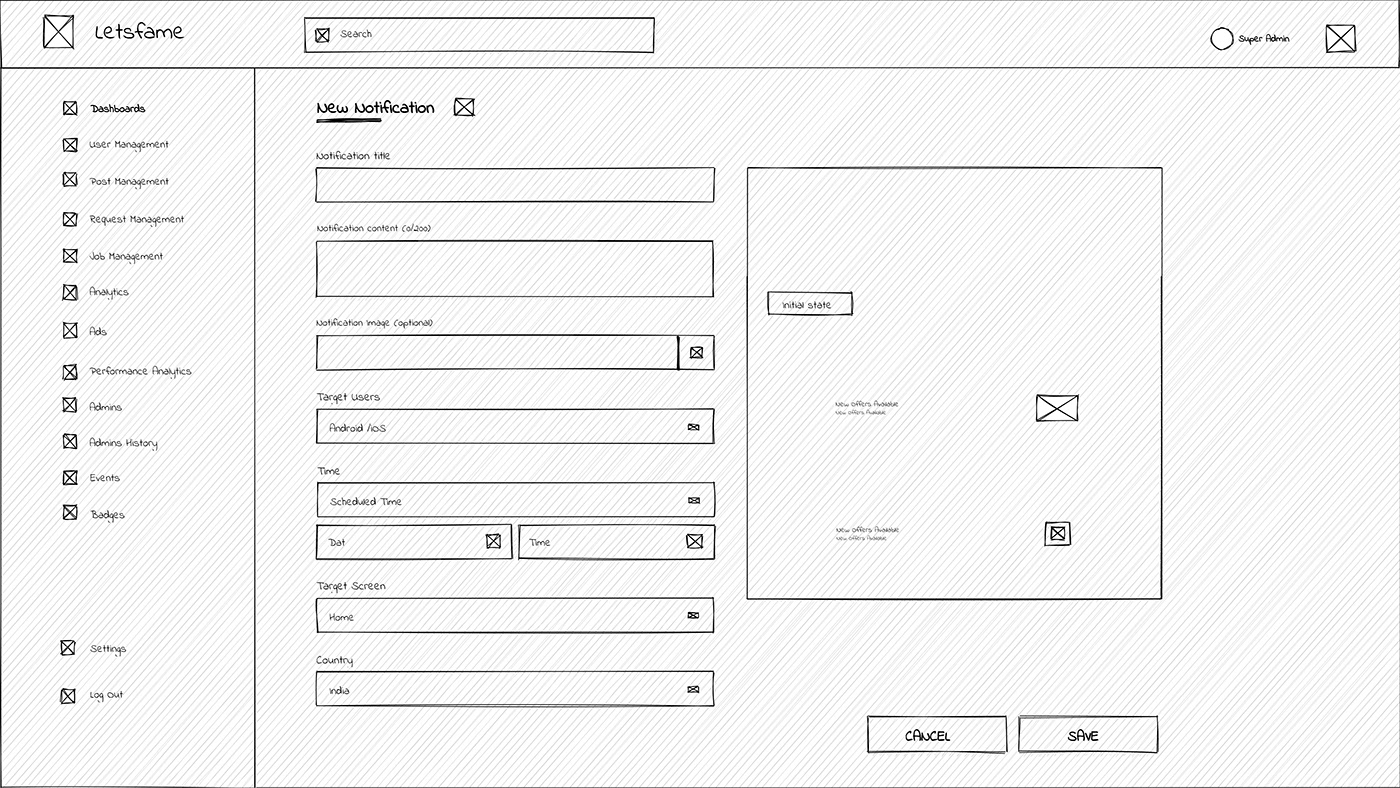
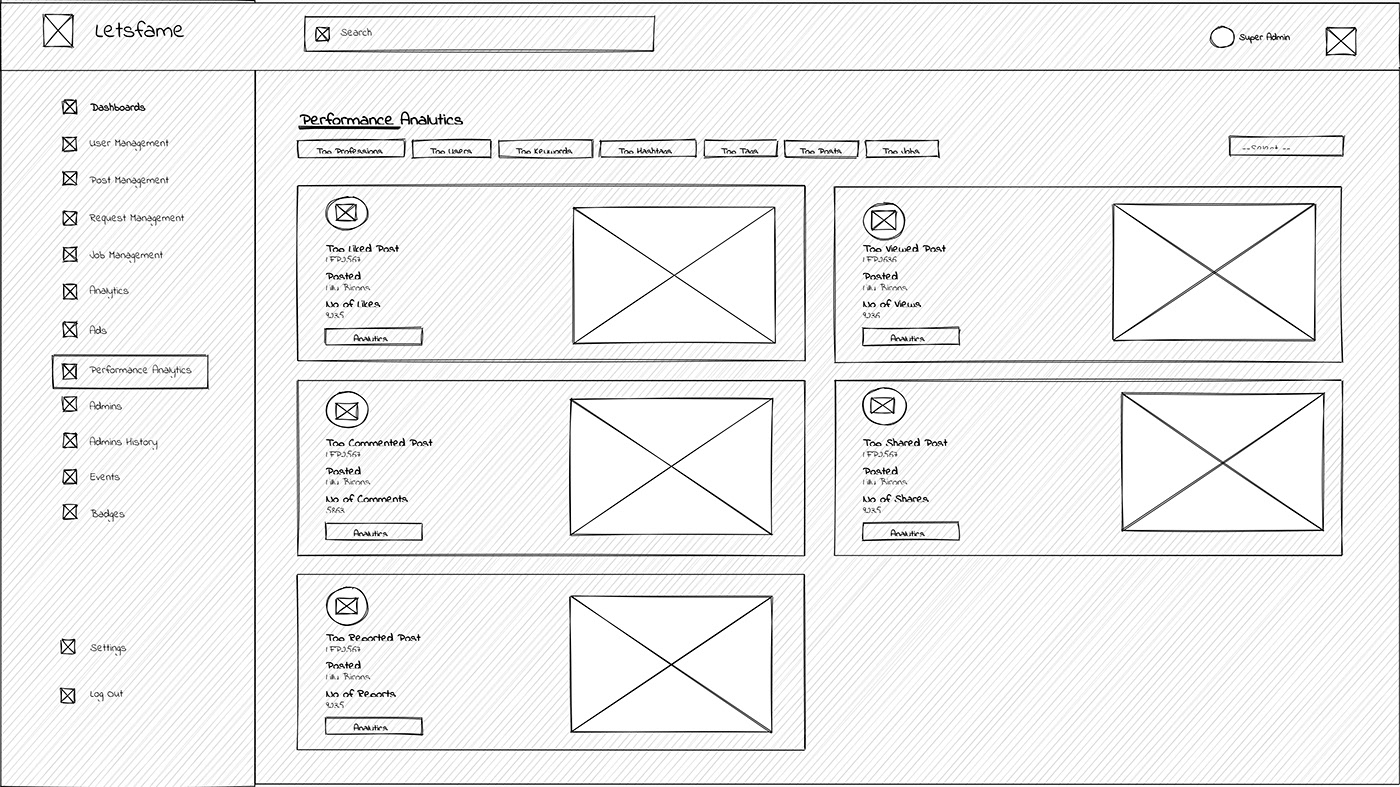
Eight low-fidelity screens used for walkthroughs before visual design
Design challenge — making analytics legible
While building the events-creation feature I hit a wall: tracking granular user behaviour — time on screen, click frequency per event — wasn't something I had deep experience with. I worked directly with senior developers to understand what Firebase Analytics could realistically expose, then designed the Events and Performance Analytics screens around what was actually measurable, instead of an ideal state the data couldn't support.
One interface, two roles, twelve modules
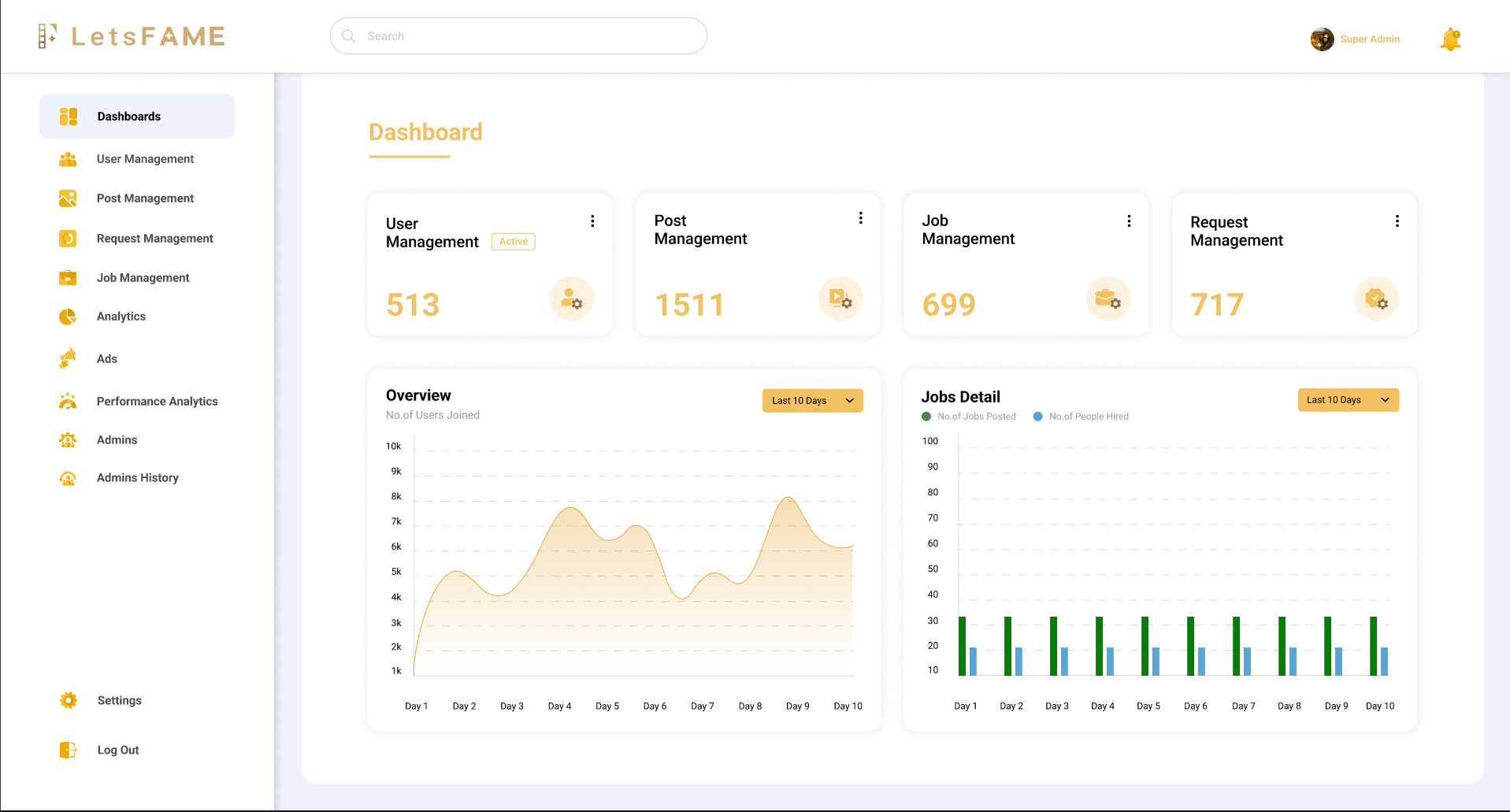
The LetsFAME Admin Panel gives admins a single, simple interface to manage the platform from anywhere — available in both light and dark modes.
Dashboard
On login, admins land on a data-first overview — user activity, post engagement, job listings and request volume, visualised for at-a-glance status checks.
User Management
View, add or remove users, and edit profiles when disputes or reported threads require intervention.
Request Management
Profile-verification requests: admins review submitted documents and approve or reject them, keeping verification auditable and consistent.
Job Management
A full list of recruiter-submitted job postings, with drill-down into campaign performance per post.
Analytics
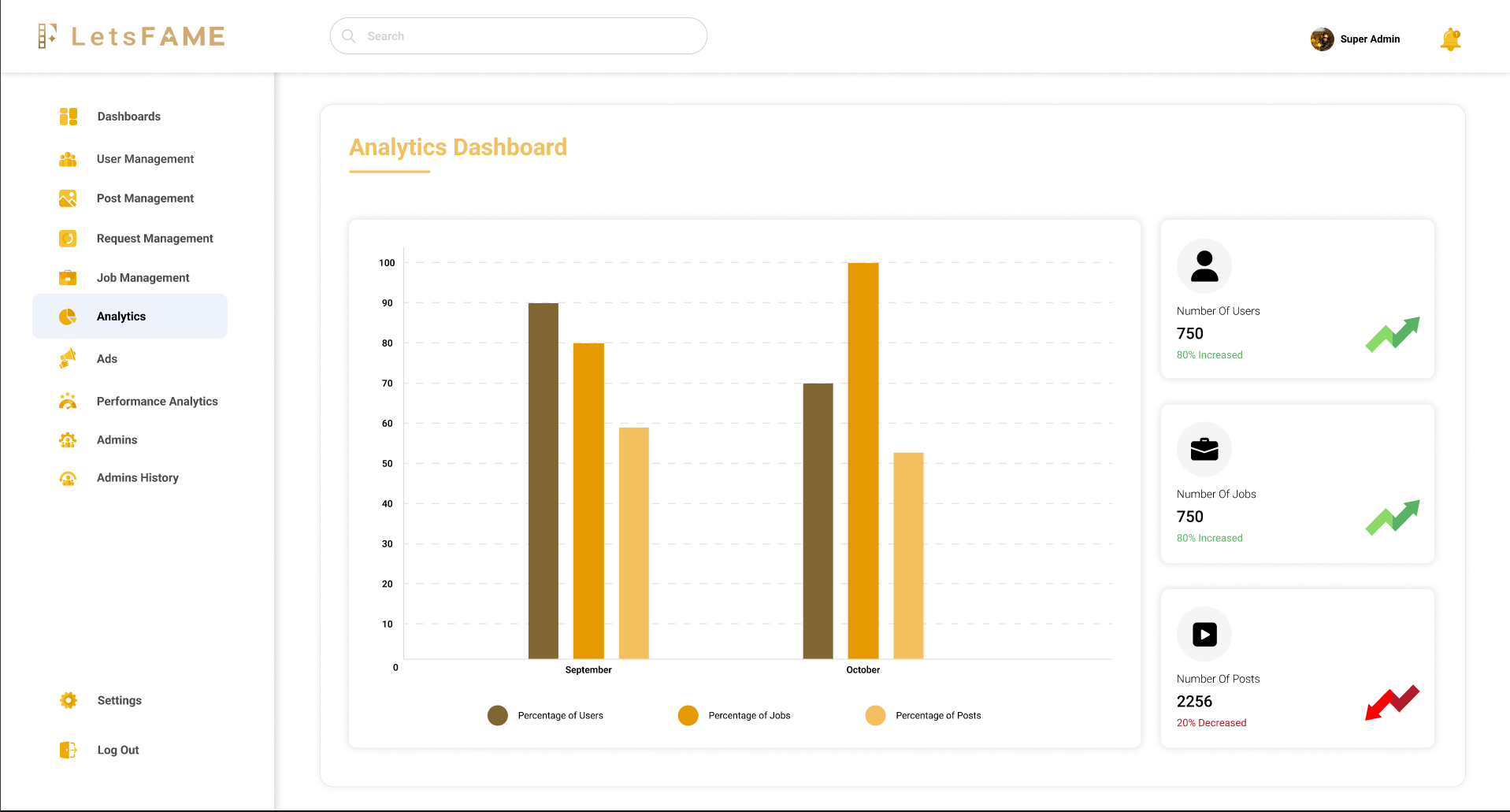
Engagement, job postings and content activity segmented by device type, location and active/inactive status.
Ads
Create and manage in-app ads — upload creative, set duration and priority, target by country and track performance. Self-serve, no engineering ticket.
Performance Analytics
Top-performing content by profession, post, keyword, hashtag and job — showing what users actually search for and engage with.
Admin History
Super-admin-only visibility into every action taken by other admins — the transparency layer for a multi-admin system.
Events
Tracks granular interactions — button presses, screen visits — and lets admins define custom events to monitor.
Badges
Award recognition badges such as Active User or Active Recruiter, reinforcing the platform's core loop of visibility and reputation.
Key design decisions
Dark mode as the default
Admins spend long sessions monitoring dashboards. A dark surface reduces eye strain and lets charts and bar graphs sit forward against a neutral background.
Role-based visibility, not role-based redesign
Super Admin and Admin share one system with permission-gated sections such as Admin History — avoiding the maintenance burden of two parallel UIs.
Metrics-first dashboard hierarchy
The four top KPIs — Users, Posts, Jobs, Requests — stay above the fold, because research showed admins check status before they check detail.
What shipped, and what changed
Consolidated eight previously manual, disconnected admin workflows into one system.
Validated with two rounds of usability testing across both admin personas before dev handoff.
Shipped as an MVP with sign-off from the Product Owner and the dev/API teams, within scope and timeline.
Moderation, verification and ad performance became measurable for the first time — no third-party console required.
"For the first time we can see what's happening on the platform without pinging three different people."
Key learnings
Simplicity is strength
Designers get pulled toward trendy patterns. Staying anchored to why the user needs something kept the panel usable, not just impressive.
Prioritise ruthlessly
A clear MVP plan made it possible to manage out-of-scope requests without derailing timelines or quality.
Transparent communication compounds
When I hit the analytics knowledge gap, looping in senior developers early turned a blocker into a better-informed design.
Design decisions need a data reality check
Designing to what's measurable, not just what's ideal, prevented shipping a feature the backend couldn't support.
What's next
- Run a formal accessibility audit — contrast and keyboard navigation — across dark and light modes.
- A/B test the Ads targeting flow to reduce setup time for non-technical admins.
- Expand usability testing beyond the two initial personas as the admin team grows.
Thanks for reading — happy to walk through the process or the Figma file directly.
Next Project
Luxury Island Bahamas →